
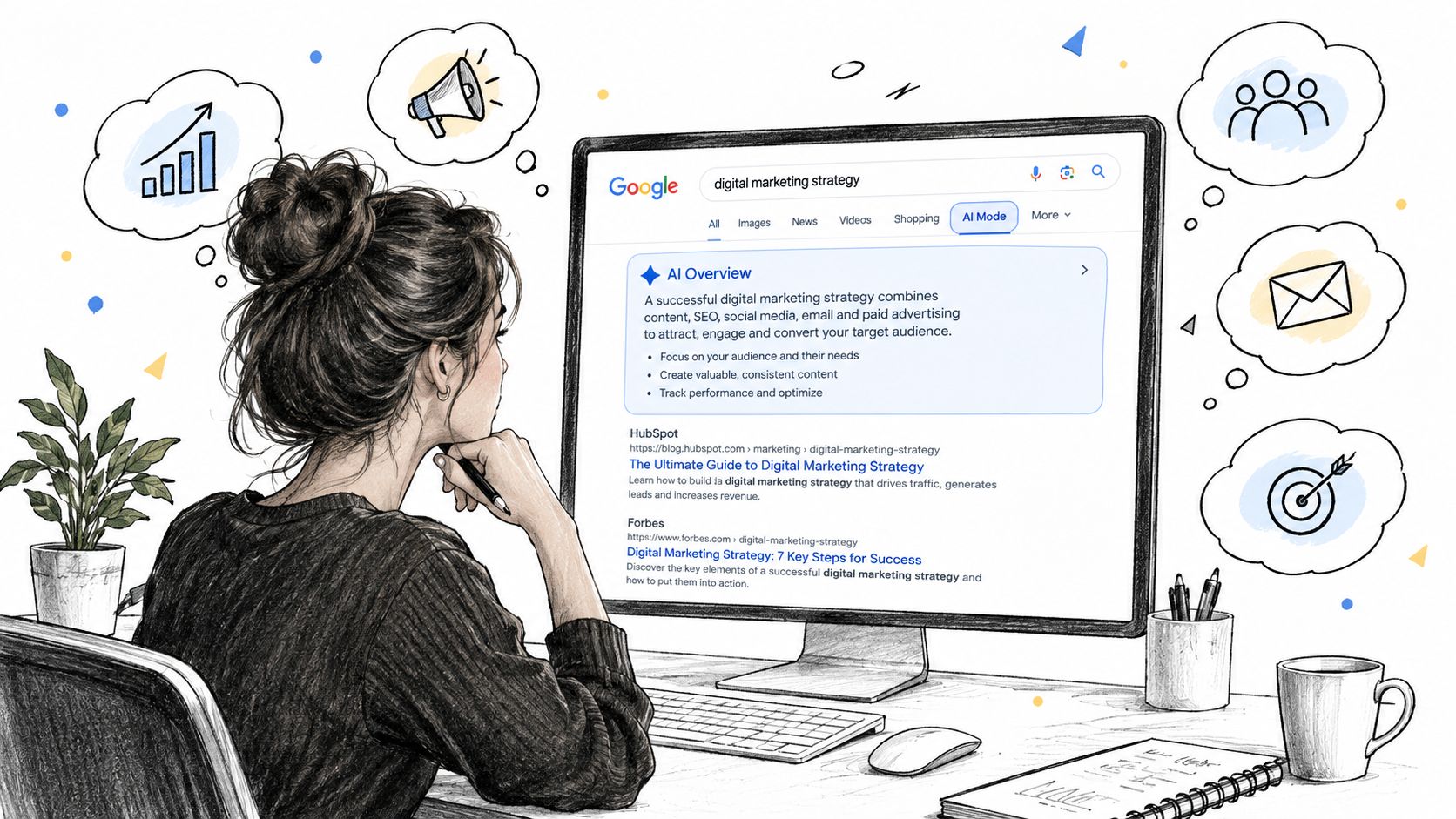
You search your brand, find an AI Overview summarizing the category, and discover that a competitor appears in the answer while your carefully researched page doesn't. The traditional ranking report looks healthy, but the search experience your audience sees has changed. That gap is why learning how to use Google AI for brand visibility requires more than testing Gemini prompts or checking whether your page ranks in the blue links.
Google AI now spans several surfaces, and each one behaves differently. AI Overviews can summarize a query above traditional results, while AI Mode turns the search journey into a conversational exchange. Google began rolling AI Overviews to everyone in the United States on May 14, 2024, saying hundreds of millions of users would have access that week and targeting more than 1 billion users by the end of 2024. It later expanded the feature to more than 100 countries and territories, stating that it would reach more than 1 billion global users each month. (Google's AI Overviews rollout)
For marketers, the practical question isn't whether Google uses AI. It's which prompts produce an AI answer, which sources appear inside it, and whether your brand earns a citation that someone can click.
Getting Started with Google AI Surfaces
Google AI isn't one product with one visibility pattern. Gemini operates as a standalone assistant and as a model family for developers and enterprises, while AI Overviews sit inside Search. Google announced Gemini on December 6, 2023, calling it its “largest and most capable AI model,” then made Gemini Pro available to developers and enterprise customers through the Gemini API in Google AI Studio and Vertex AI on December 13, 2023. Bard was renamed Gemini in early 2024, and the Gemini app and Gemini Advanced became the consumer-facing entry points on February 8, 2024. (Google's Gemini product history)
For visibility work, start with two Search surfaces:
AI Overviews: Inline summaries that can appear above traditional results. Informational, comparison, and how-to queries are the most useful starting points for testing, although Google doesn't show an Overview for every search.
AI Mode: A fuller conversational experience in Search. Longer questions with several conditions or follow-up steps are more likely to make this interface relevant, and the answer can continue changing as the user asks for clarification.
Availability varies by market, language, device, account, and rollout stage. Google's support documentation lists availability across countries including the United States, Canada, Brazil, India, Japan, and the United Kingdom, with expansion across Europe. (Google's AI Overviews availability guidance) On desktop and mobile, access may also depend on being signed into Chrome, having the relevant Search experience enabled, and, where applicable, enrolling in Search Labs. Early rollout conditions were particularly US-focused, so don't assume a colleague in another market sees the same result.
Your first-day visibility check
Use five priority queries from your real acquisition funnel. Include one category question, one comparison, one problem-led query, one product-related search, and one branded query. Run each from a clean browser profile, record the market and device, then capture the complete result.
Tag what you see:
Overview block: Is there a generated summary above the organic results?
Generative UI: Does Google show a table, product list, visual panel, or another interactive layout?
AI Mode interface: Can the user continue the search through a conversational answer?
No AI surface: Does Google present only conventional results?
This vocabulary matters because an Overview citation and a Gemini answer aren't interchangeable. If your tracking sheet labels both as “Google AI,” your later reporting will combine different user journeys and hide the opportunities that need action.
How AI Overviews and AI Mode Actually Work
Google doesn't expose every internal step behind a generated result, so marketers should separate documented behavior from practical observation. The visible output is usually the end of a retrieval and synthesis process: Google interprets the query, gathers relevant information, and generates an answer grounded in available sources. Google's prompting guidance for the Gemini API recommends stating the goal directly, using consistent delimiters such as XML-style tags or Markdown headings, defining ambiguous parameters, placing long context before the final instruction, and lowering temperature for deterministic work. (Gemini prompting strategies)
In daily monitoring, the useful working model is a retrieval stack. A complex query may be expanded into related sub-questions, with Google finding pages and signals that help answer each part before Gemini-family models synthesize the response. That doesn't mean every query follows an identical sequence, and it doesn't justify claiming that a particular internal component caused a citation. It does explain why a page can be absent for the exact wording you tested but appear when the user adds a use case, audience, location, or comparison condition.

Three layers to record
The answer itself is only one layer. Track the generated text, the linked citation cards, and any Generative UI element separately.
Overview text: The summary that answers the question. A brand may be mentioned here without receiving a link.
Citation cards: The linked sources attached to claims or sections. These usually carry the clearest referral opportunity.
Generative UI: Tables, lists, or other layouts that reorganize the answer. These can change which sources receive attention even when the written summary looks similar.
AI Overviews generally answer first and offer routes to source pages. AI Mode keeps the user in a continuing conversation, so links may appear less consistently and can depend on the follow-up question. That difference makes a citation audit more useful than a simple mention count.
Observed citation patterns also point to a broader lesson. One analysis of 863,412 search queries found that 38% of AI Overview citations came from pages already ranking in Google's top 10, 44% came from pages ranked 11 to 100, and 18% came from pages outside the top 100. (Citation distribution analysis) Traditional rankings still matter, but they aren't a complete eligibility list. Page structure, clear entities, topical coverage, and well-supported sections can influence whether a model can use a source, even when the URL isn't a conventional top result.
For a deeper operational view of query and citation behavior, see this guide to AI Mode tracking.
Monitoring Your Brand Inside Google AI Results
A useful monitoring program starts with the questions your audience asks, not with a random list of keywords. Build a seed set across commercial, informational, and comparison intent. Then expand it through People Also Ask, autocomplete, customer-support language, sales-call questions, and the citation patterns you see around competing brands.
Manual checks remain valuable because they show the exact experience a user receives. Search from an incognito window or a clean signed-in profile, record the market and device, and screenshot the Overview before opening any result. Personalization, geography, freshness, and account state can change what appears, so the context belongs in the record.
Use a citation-first tracking sheet
Track each prompt with fields that answer an operational question:
Appearance: Did an Overview, Generative UI, AI Mode result, or no AI surface appear?
Brand status: Was your brand absent, mentioned in the text, or linked as a citation?
Source type: Classify the cited page as first-party, third-party review, Reddit, Wikipedia, trade press, or another source.
Citation location: Record whether your page appears near the beginning, middle, or end of the citation set.
Sentiment and accuracy: Note whether the description is favorable, neutral, incomplete, or wrong.
Evidence URL: Save the exact cited page, not just the domain.
A brand mention and a linkable citation aren't the same result. The first can support recognition, but the second gives the user a direct path to your evidence and makes the source easier to defend in stakeholder reporting. Independent analysis of 405,576 searches compared top-10 organic results with AI Overview citations, while another analysis of 1,000 overviews found an average of 4.2 citations per overview. Definitional and how-to queries averaged 5.6 citations, while commercial queries averaged 3.1. (AI Overview citation study)
Match the tool to the workload
Approach | Refresh Cadence | Best For | Key Limitation |
|---|---|---|---|
Browser-only checks | Ad hoc or weekly | Small lists and early discovery | Manual effort and limited history |
Semi-automated tracker | Weekly sweeps | Teams validating patterns across a larger prompt set | Results can miss context and freshness changes |
Always-on platform | Daily refreshes | Agencies, stakeholder reporting, persona testing, and citation history | Cost, setup, and dependence on the collection method |
For a more structured operating model, use this brand monitoring workflow for AI results. The right choice depends less on feature count than on whether the system preserves the prompt, answer, cited URL, market, and timestamp together.
Influencing Which Sources Google AI Cites
You can't command Google AI to cite a specific URL. You can make your pages easier to identify, interpret, and trust when they match the question being answered. The strongest approach combines clear entity signals with useful evidence, rather than repeating a target phrase across every page.
Start with pages that explain who stands behind the information. An About page, detailed author bio, transparent editorial policy, and consistent company descriptions across reputable third-party profiles help connect your content to a recognizable entity. Wikipedia and Crunchbase can play a role in entity discovery where they accurately reflect the organization, but they aren't substitutes for first-party evidence or independent coverage.
Build pages around answerable evidence
A page that says your product is “the best” gives a model little verifiable material. A page that defines the evaluation method, names the conditions, explains trade-offs, and links to supporting documentation gives it more usable context.
Citation Trigger | Page Element to Add |
|---|---|
Definition or terminology question | A direct definition near the beginning |
Step-by-step how-to query | Ordered instructions with clear prerequisites |
Comparison prompt | A neutral table covering capabilities and limitations |
Product suitability question | Use cases, exclusions, and decision criteria |
Original research claim | Methodology, source notes, and update date |
Expert interpretation | Named author, credentials, and editorial review details |
Conversational follow-up | Natural question-and-answer sections using complete phrasing |
Use valid structured data where it describes the visible page. FAQ and HowTo markup can clarify page content, but markup won't rescue thin or unsupported material. Google's guidance on prompt structure reinforces the same principle from the model side: clear instructions and well-separated context reduce ambiguity. (Gemini prompt design guidance) For content teams, that means putting the answer in a clean section instead of hiding it inside decorative copy.
Third-party reviews and trade press can provide independent corroboration, especially for comparison and purchase queries. PR works best when it earns a factual reference, not when it produces a string of nearly identical announcements. Chasing every possible prompt also wastes time. Own the core questions in each topic cluster, then expand only when monitoring shows a repeated gap, misleading description, or competitor advantage.
Measuring Share of Voice Across AI Engines
AI share of voice needs a defined denominator. A raw count of brand mentions can make a brand look visible only because it appears repeatedly in low-value prompts, while a citation count can reward a source that is linked but described negatively. I use prompt buckets first, then calculate visibility within each bucket before combining the results.
Create groups such as category education, problem solving, comparisons, alternatives, branded searches, and purchase evaluation. For every prompt, record whether an AI surface appeared, whether the brand was mentioned, whether a page was cited, where the citation appeared, and how the answer characterized the brand. This lets you distinguish citation rate, sentiment-adjusted visibility, and competitor gap instead of compressing them into one ambiguous score.

Compare collection methods honestly
Manual prompt grids give the richest context. You can inspect wording, follow up in AI Mode, and notice whether the answer changes after a clarification. They become difficult to maintain as markets, personas, and prompt sets expand.
Scraping APIs can support repeatable collection, but they may not reproduce a real signed-in Search experience. Third-party trackers such as Otterly, Profound, Semrush AI Toolkit, and Ahrefs Brand Radar can make recurring reporting easier, though each depends on its own coverage, refresh schedule, and interpretation of a volatile interface. Treat their output as a monitoring layer, not an unquestionable ground truth.
A simple weighted SOV model can make your assumptions explicit:
Weighted SOV = the sum of citation weight × position weight × sentiment weight, divided by the same total across all tracked brands.
Choose the weights before reviewing the results, keep them stable, and publish the unweighted counts beside the score. A positive citation near the start of an Overview should carry more practical value than a buried negative mention, but the report should show enough detail for another analyst to challenge the weighting.
Google's own documentation says users should verify important information in more than one place and ask multiple versions of a question. (Google's guidance for checking AI-generated results) Apply that discipline to SOV reporting too. Run repeated prompt variants, compare source grounding, and don't treat one generated answer as a market-wide measurement.
For a broader comparison of monitoring approaches, review this guide to AI visibility trackers for SEO and marketing agencies.
Common Traps When Tracking AI Visibility
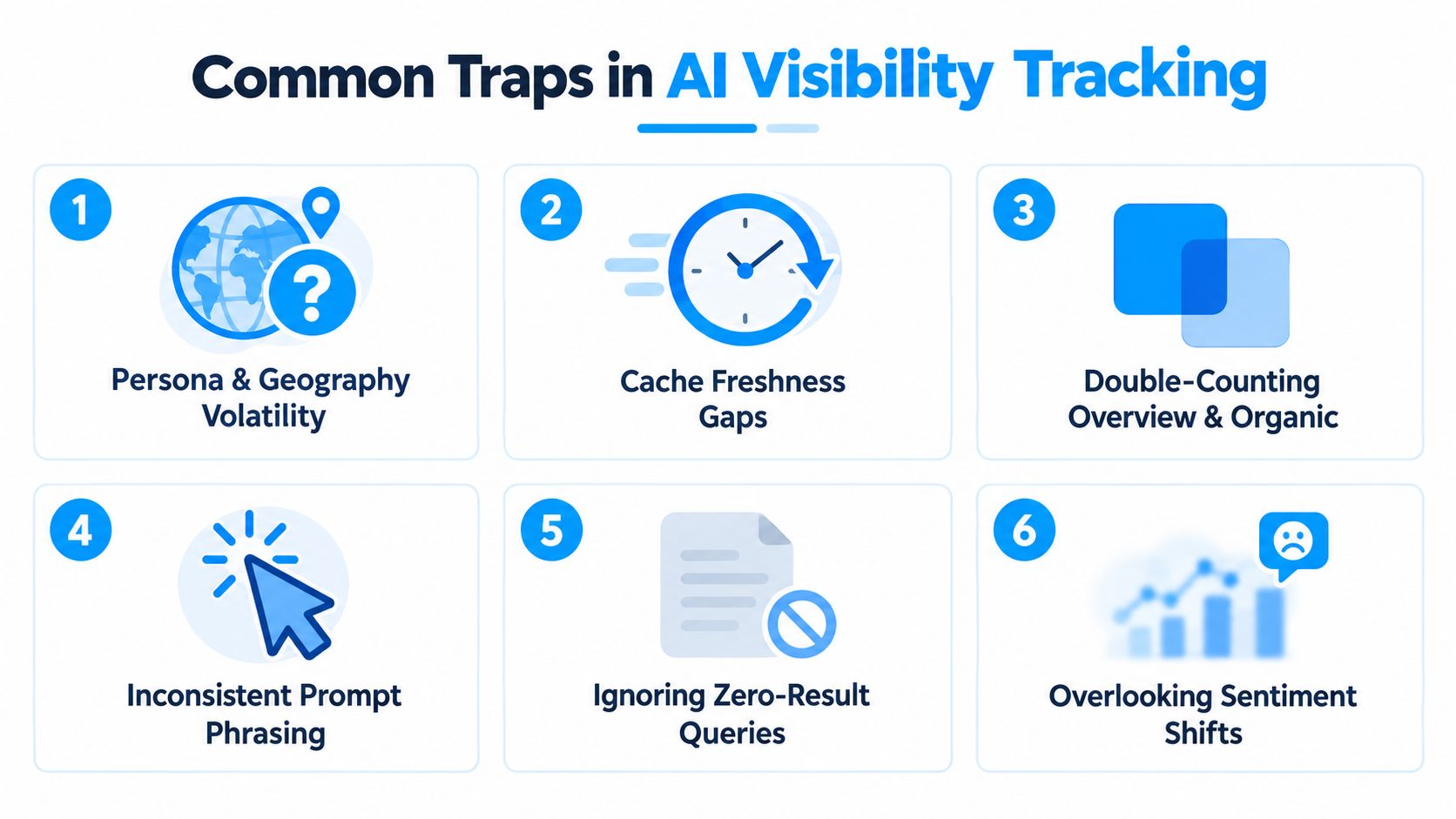
AI visibility reports often fail because the collection process changes while the dashboard pretends nothing changed. Six traps appear repeatedly in practical monitoring.
Six checks that protect the report
Persona and geography volatility: A US-based signed-in user and a UK-based anonymous user may receive different answers. Detect it by storing market, language, device, and account state. Correct it by fixing a test profile and labeling every result with its collection context.
Cache freshness gaps: A third-party tracker may show an older answer after your page or a competitor page changes. Detect it by manually validating a sample after every major reporting run. Correct it by separating observed date from publication date and retaining answer archives.
Double-counting Overview and organic links: The same URL can appear as an AI citation and again in traditional results. Detect it by assigning separate fields for AI citation, organic position, and combined presence. Correct it by reporting them as distinct surfaces.
Inconsistent prompt phrasing: Small changes can alter whether Google generates an Overview or routes the interaction into AI Mode. Detect it by preserving exact prompt text and testing controlled variants. Correct it by maintaining a canonical prompt and a separate exploration set.
Ignoring zero-result queries: A prompt with no AI block still tells you something about coverage and user behavior. Detect it by logging every tested query, including blank outcomes. Correct it by calculating the AI-surface rate separately from brand visibility.
Overlooking sentiment shifts: A brand can remain cited while the answer changes from favorable to qualified or inaccurate. Detect it by reviewing answer text, not just URLs. Correct it by adding sentiment and factual-accuracy fields to the audit.
Common Sense Media has warned that AI Overview and AI Mode citations can appear to support an adjacent claim even when the system only consulted a source during synthesis. (Common Sense Media's assessment of AI search citations) That makes raw citation volume a weak success metric by itself. Record the claim, source, and relationship between them.
Query coverage is also moving. Independent reporting found AI Overview visibility rising from 6.5% of queries in January to just under 25% in July, then falling to under 16% by November. (Search Engine Land coverage of AI Overview volatility) Those changes don't automatically mean your content improved or declined. They may reflect Google tuning which searches deserve an AI response, so keep the denominator visible in every report.
Building a Repeatable Google AI Workflow
A useful workflow must survive noisy results, changing interfaces, and limited team capacity. The answer isn't to automate every search immediately. Start with a stable prompt set, preserve the evidence, and only add tooling when manual work prevents consistent decisions.
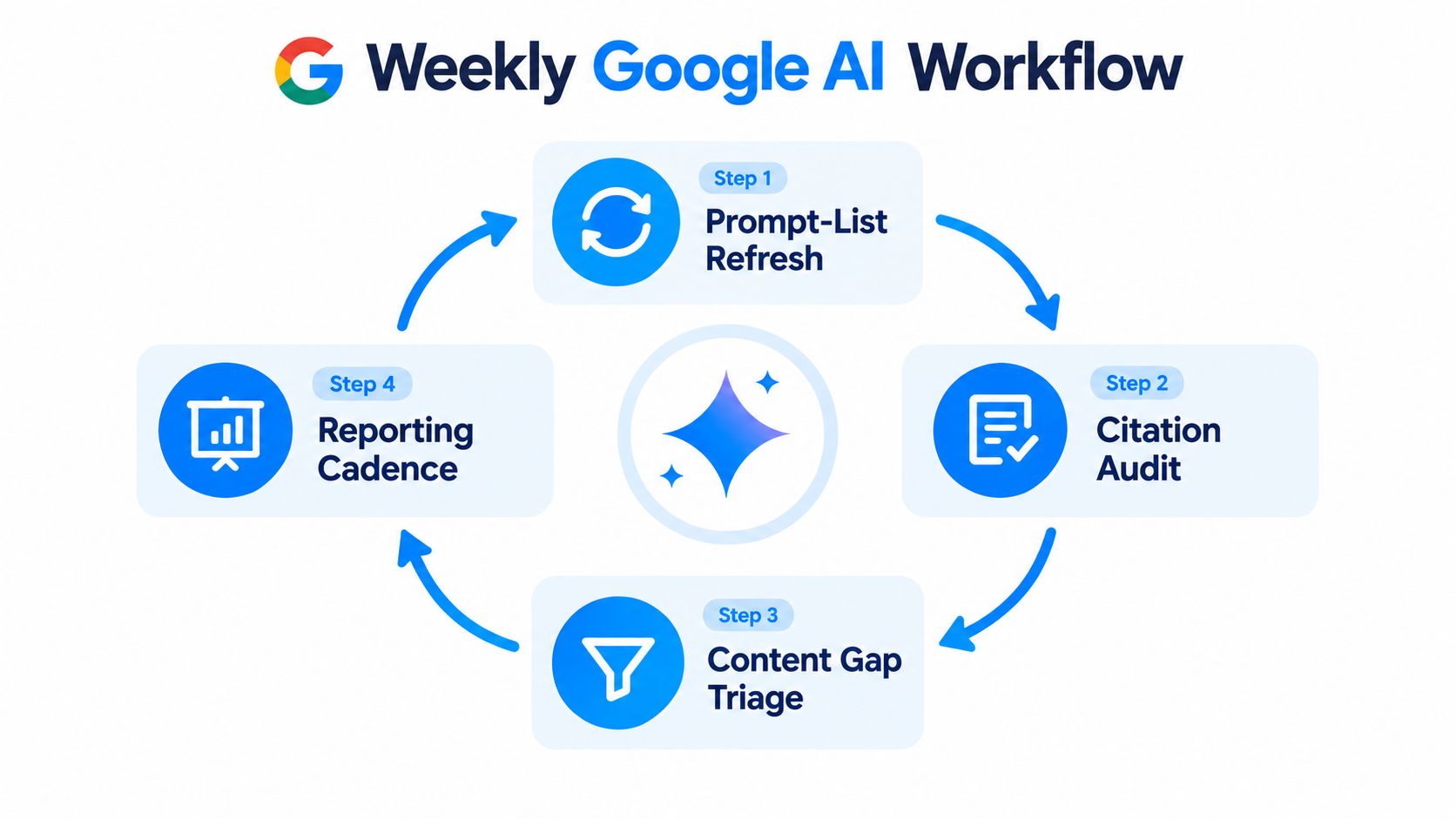
The weekly loop
Refresh the prompt list. Re-run your core 30 prompts, then add questions from sales calls, support tickets, autocomplete, and newly observed competitor citations. Keep the core set stable so week-to-week comparisons remain meaningful.
Audit citations. Diff the current answer against the prior capture. Mark new citations, lost citations, changed descriptions, incorrect claims, and changes in whether an AI surface appeared.
Triage content gaps. Route actionable findings to the right owner. A missing definition belongs with the content team, an unclear author signal with editorial, and a missing independent reference with PR or communications.
Send a one-page memo. Report prompt coverage, citation rate, sentiment-adjusted visibility, competitor gaps, notable source changes, and the next actions. Keep raw screenshots and answer archives available for anyone who needs to verify the summary.
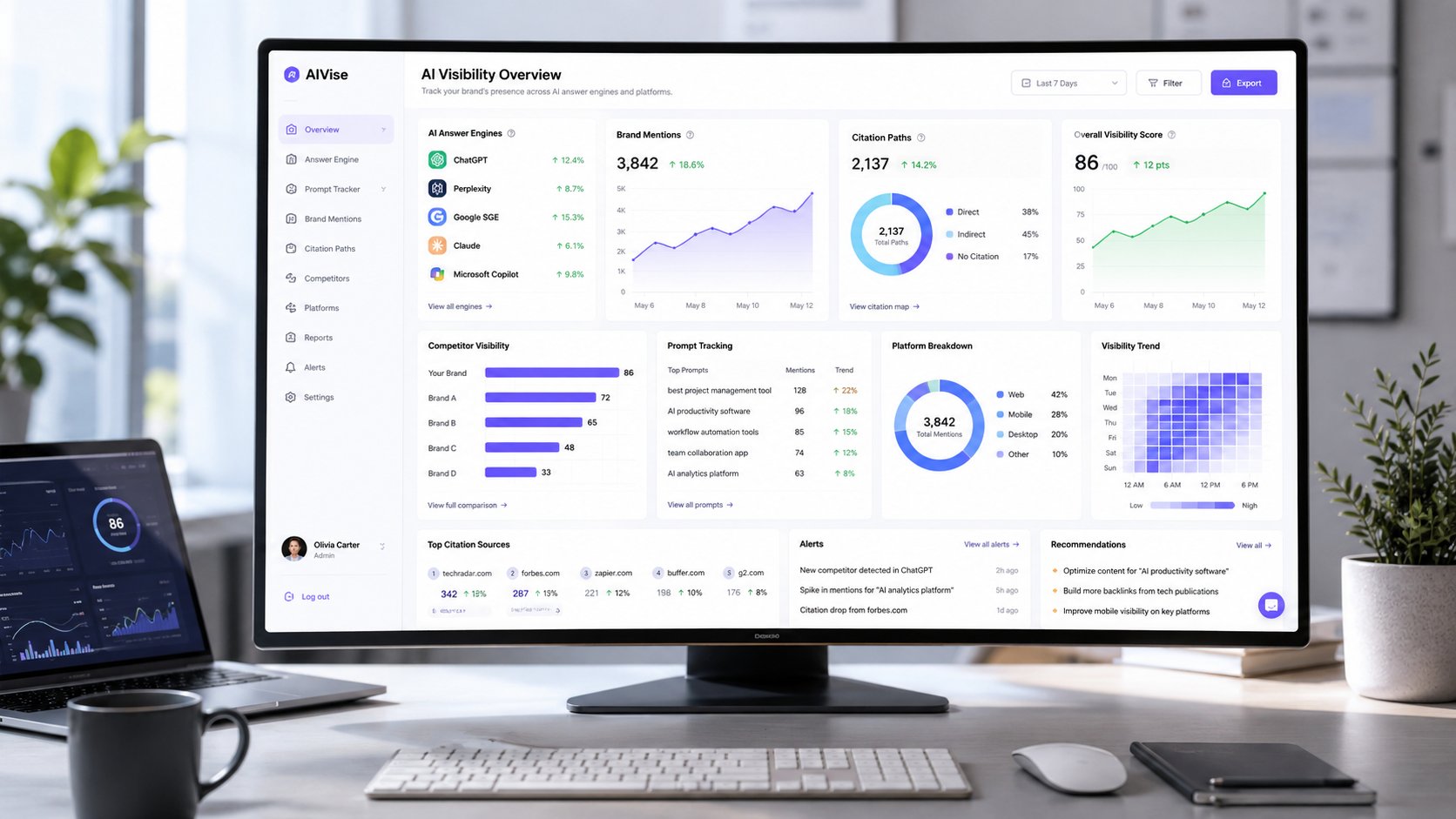
Spreadsheets are enough for a small program. Rank trackers help connect traditional visibility with AI results, while tools such as Otterly or Profound can support recurring collection. Llumo tracks per-prompt visibility, share of voice, citation sources, competitor trends, query fan-out, and response archives across Google AI Overviews and AI Mode alongside other AI answer engines. It also supports connected provider API keys, so teams can account for underlying usage costs directly. Use it as one possible operating layer, not as a replacement for judgment.
Practical rule: Escalate from DIY checks when missed refreshes, fragmented screenshots, or stakeholder requests make the dataset less reliable than the decisions built from it.
Don't judge the program after one noisy sweep. Expect eight to ten weeks before citation velocity becomes a meaningful leading indicator. The workflow needs enough continuity to distinguish a real content signal from a temporary change in query coverage, personalization, or source selection.
Llumo helps teams monitor Google AI Overviews and AI Mode at the prompt level, compare brand and competitor visibility, and trace which pages earn citations across AI answer engines. Visit Llumo to turn your weekly citation checks into a repeatable AEO workflow with archived responses and actionable source analysis.